
(and even prevent them from happening).
It used to be that historical data had to be configured to get what you needed. That led to the real possibility of missing crucial events, underlying problems, or hidden network issues.
But now, there’s a new, simple way to troubleshoot and diagnose when something has gone wrong, and even a much-improved chance that you can catch and prevent errors from happening in the first place.
Among the new features on the Bridge Technologies VB440 is the intuitive new event logging capacity, which captures every flow change or event occurrence on the network.
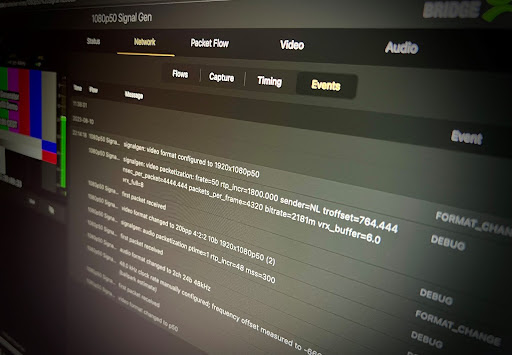
This adds historical data to the real-time data, giving you another level of information so that your engineers can quickly track down problems. There’s no need to configure anything. All video, audio, and ancillary data flow is listed in time order, so it’s easy to find what you’re looking for.
However, it would be selling event logging capacity short to say that the benefits end with your engineers. If you’re making management level decisions, the ability to monitor events and errors over time gives you unique insight into where and when to invest in maintenance and equipment.
See new event logging capacity in action in this 3-minute video.
To find out more about how the VB440 can take complex data and make it more accessible and useful for everyone involved in your production, get in touch with me. 2110 Solutions is the best place to start because we can help you find the right tools for your unique workflow.